Monday, 22 November 2010

Cute children's cards.....

After a hectic week getting things together for 'the creative fair' in Loughton we're now a bit exhausted. True to form we were still getting things together on Saturday morning a few hours before the event! Maybe one day we'll be organised and have everything ready weeks in advance so everything runs smoothly, but I can't see it happening anytime soon : )

I made some new baby and children's cards for the event with the below images and sold out.... so will have to frantically get some more ready for this week end.

Can you tell i'm broody!


Just a reminder about Friday - if you're in the area pop along and say hi and get some fabulous xmas gifts not on the high street whilst you're there.

Tuesday, 16 November 2010

Upcoming christmas events....

Hi,

We've been really busy getting ready for a few christmas fairs that we're doing.
This Saturday we're going to be at
Grand Hall within 'Roding Valley High School of Performing Arts' in Loughton as part of the creative fair. It's a great idea of assembling lots of local talent including artists, designer makers and small businesses together and offering their talents to the local community. We've been a part of the E17 Designers which is on the same wavelength and it's a great opportunity to get quality items back onto the high street. Many of the unique items are handmade to a very high quality and not found anywhere else.

This Saturday doors open at 11 until 4pm and there will be
refreshments in the foodhall serving homemade cakes and cupcakes from 'frenchmade' & more.
There will also be a trendy stylist & beauty treatment's for both the adults & children.
With the children's fancy dress at 2.30pm with local performing talent on stage during the day from 'Theatre Train'. only £2.50 to get in for a whole day's worth of entertainment for all ages.


The next one we are doing is next Friday night, 26th with the E17 Designers in Walthamstow. Their markets are getting so popular that this year they're having to put on 2 due to an increasing amount of designers joining the group, and wanting to offer their talents to the local community.


Friday, 22 October 2010

Sharing the love with a free photo tutorial....

At the moment i've been spending a little too much time on the internet - I started off looking for a free knitting pattern which just escalated into trying to find as many free patterns and art goodies as possible!

So I thought i'd share some of the generosity and show you a few techniques in Photoshop to create old fashioned style photos. Whenever i'm in an antique or charity shop i'm always hunting for old images to use in my graphics work. I get so excited when I do, better than a designer hand bag any day! But this is rare as unless you want to spend extortionate amounts of money there's just not many out there. So this is a really good tip to create your own.

Start of with an image you want to make look old. I've got some pics here from doves in my local park, when they randomly flew by.


Next off you need to create a background, you can use mine if you're not that confident.
To do this I took a photo I had of water (a textured image works well, giving tones to your background image):

I then put a blur onto it. (Go to Filter: Blur: Gaussian Blur, I went really high at about 35 pixels, have the preview on and you can see how much to blur it by before applying).


My picture was a little grey so I went into Image: Adjustments: Colour Balance and increased the Cyan and Blue. You can also use this technique with family pictures, just add yellow and red to make sepia coloured backgrounds instead of cyan and blue.

I then added some noise to my image to give it some extra texture but this is just personal preference, Filters: Noise: Add Noise)


Next is to get the old fashioned scratches and marks. To do this you need to get yourself some different brushes, preferably paint splashes or grunge brushes, there are lots of websites that offer free ones to download. I've got some good ones from brusheezy. Make sure to download either PC or Mac compatible files depending on what computer you have. I use a Mac so I know that the .abr files need to be placed in: Applications: Adobe Photoshop: Presets: Brushes. Once they're loaded play around with the brush tool (selecting different brush types) around the edges of your image. I used a black brush but changed the opacity for extra depth. You only need to work on the one layer throughout this.


Now you have a background you can then overlay it onto your image. Select your background image, copy it and paste it onto your image. They need to be the same size, I had to resize my background to fit using the transform tool. The background image needs to be on the bottom with your preferred image on top i.e. the doves.

Your layers palette will look like this:


Next select the image layer and select overlay, as shown:


and voila.....


Here’s some more I made when I was playing around:


Hope you enjoy using that tip. Share any images you come up with as it would be great to see your creations.

Kirsten

Wednesday, 20 October 2010

New felted pieces....

We finally got together at the week end to have a felting day. Although it wasn't as productive as our last day, due to too much chatting over tea, we did manage to make a few new bowls and beads for jewellery.

Here's some pics of us in action, just before I put my hand into my tea instead of the soapy water!!


And here are some pics of our new creations.....


I've left a few on the radiator drying but when they're done i'll post a few pics as well.

Kirsten

Friday, 8 October 2010

'Inspired by Morris' starts this week end.....


Make sure to pop along to the start of a great new exhibition, starting this week end and running until Christmas at the William Morris gallery. 50 artists have taken inspiration from the legendary William Morris from textile artists, ceramics and even film makers. So pop along and see how the artistic legacy of Morris still lives on through modern contemporary artists today.

The exhibition has also been selected as part of the Story of London 2010

Plus my mum's piece got selected, which always makes me proud to see her work hanging in an exhibition.

Here's a reminder of her amazing work.....


Kirsten

It's official.....

Link
the single Shame by Imani Hekima has been released on itunes. It's very exciting to see something i've designed out there for everyone to see.

Imani has a great soulful voice which you can check out on his myspace page, it's amazing that he produced every element from all the instruments and vocals.

Hope you enjoy and please share with friends and family.

Kirsten

Wednesday, 6 October 2010

Rishta Desigs


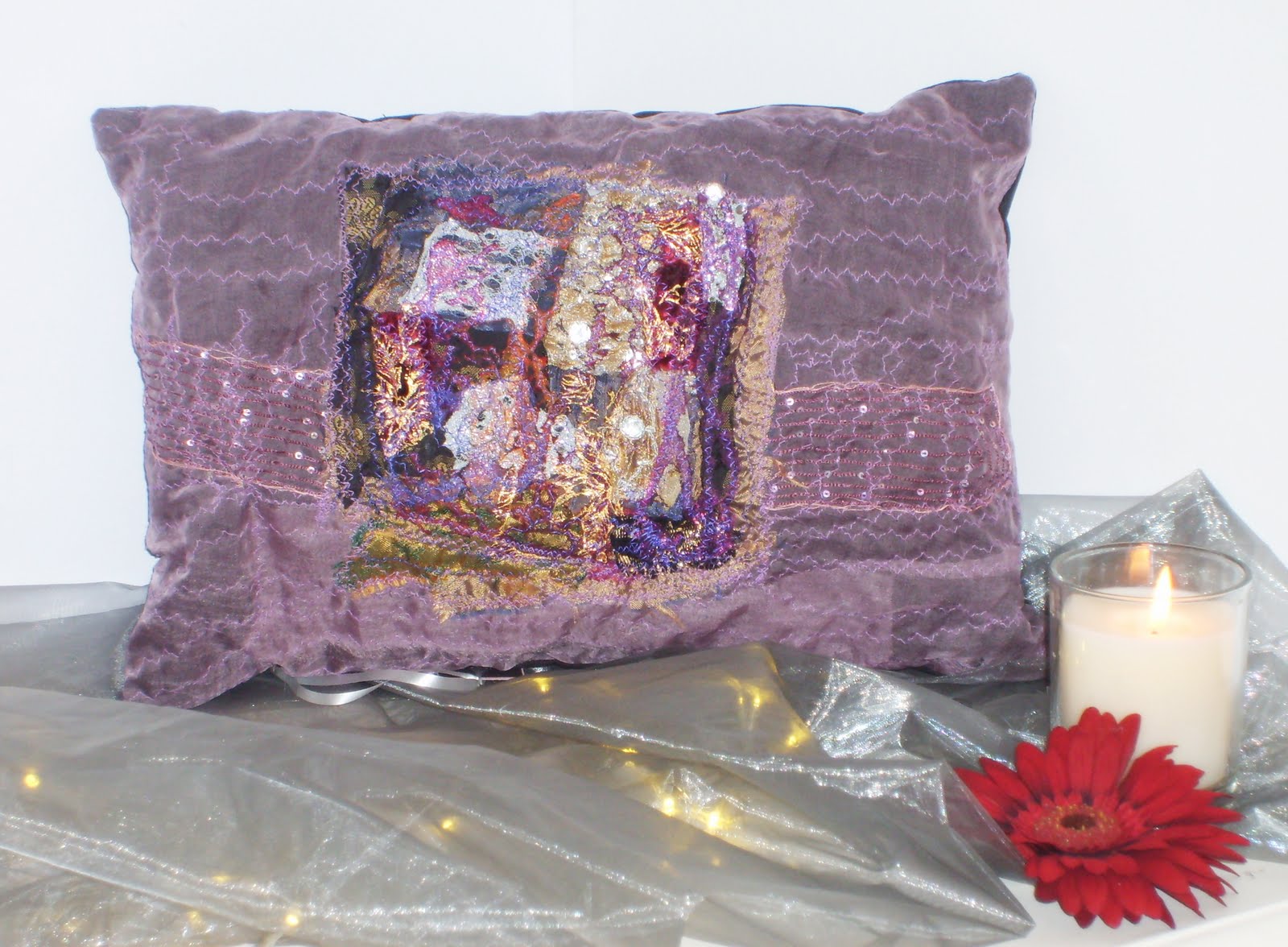
This is the work of an innovative, inspiring, creative textile designer who loves to experiment with colour, texture, and different fabrics, to produce unusual "unique" individual pieces, such as cushions, canvas art, and wall hangings.


Please contact Rishta designs for more information or email if you are interested in viewing more of her collection.

Hamlila.patel@googlemail.com mobile 07961796298.